
The product mix picks the machine. Not the other way round.
Personalization is the one category on this site that is not defined by a material. Tumblers, boards, ornaments, jewellery, awards and promotional work span wood, acrylic, leather, glass and metal — which means the machine question cannot be answered until you know what you intend to sell. Almost every expensive mistake in this category is someone buying the platform first and discovering the product mix needed the other one.
Powder-coated drinkware, hardwood and bamboo, acrylic, leather, slate and glass, anodised aluminium, marking laminate.
Product mix, CO₂ versus fiber fit, rotary capability, cycle time per piece, and pricing discipline.
The one thing worth knowing before anything else
Coated metal and bare metal are two different businesses. A CO₂ laser engraves a powder-coated or anodised tumbler beautifully — but it is not marking the metal, it is working on the finish — burning the powder off to expose bright steel, or bleaching the colour out of the dyed anodised layer, which leaves the coating in place and the mark as a white frost. Put bare, mill-finish stainless under the same beam and nothing happens: at 10.6 µm the energy reflects off it. Bare metal is a fiber job, at 1064 nm. This single distinction decides whether your product list needs one machine or two, and it is physics rather than preference — no setting, lens or power level changes it.

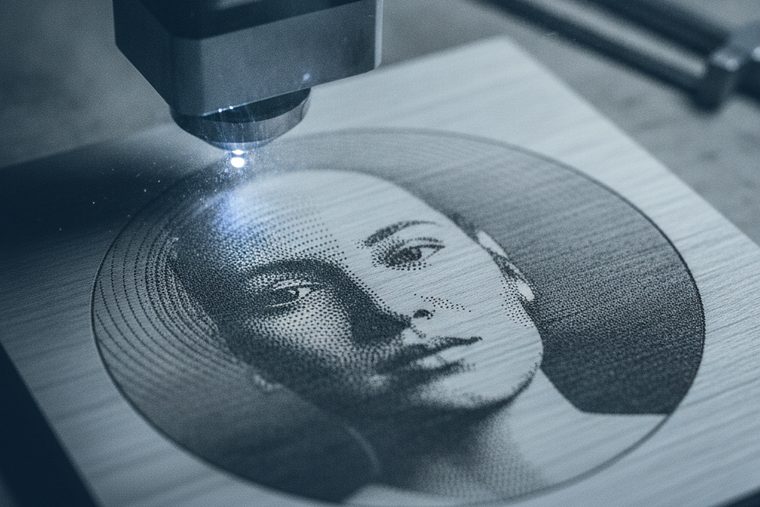
Usually a CO₂ platform plus a rotary — and a fiber marker alongside it the moment bare metal enters the product list.
Size a CO₂ System

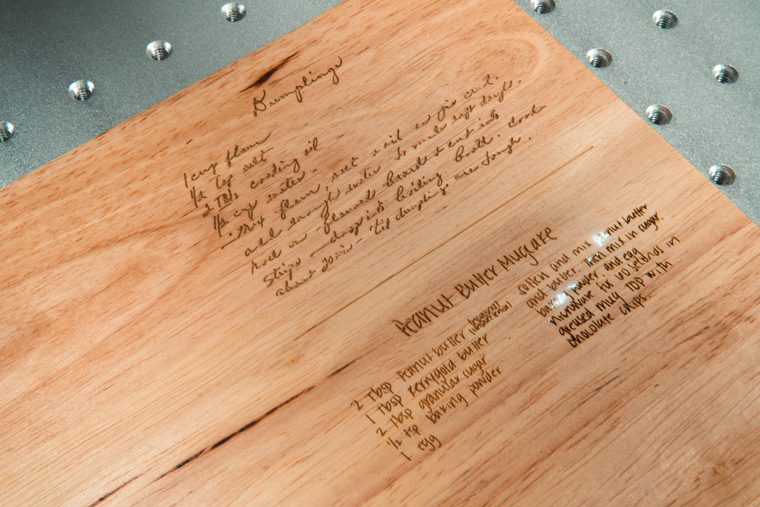

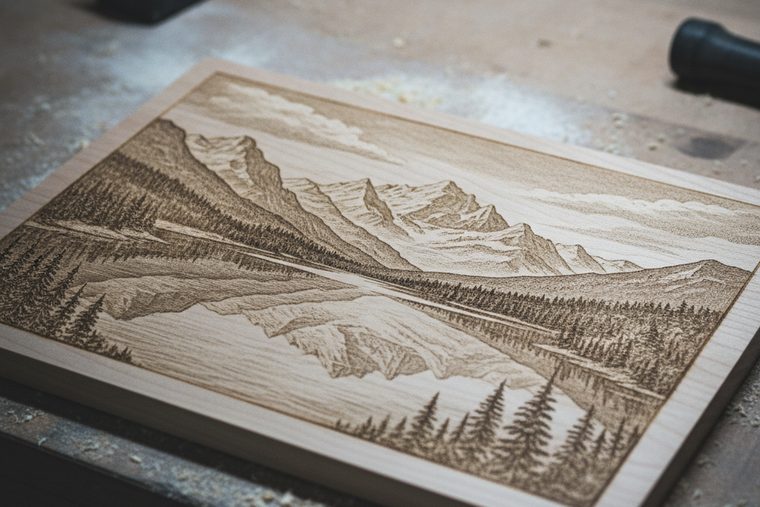

EVO Desktop
Enough machine to prove a product line exists before you commit to a floor-standing one. Ornaments, coasters, small boards, jewellery blanks in wood and acrylic — real saleable work, in a room that is not a shop.
- Test one or two repeatable products first
- Small enough for a spare room or a retail counter
- You outgrow the bed long before the beam
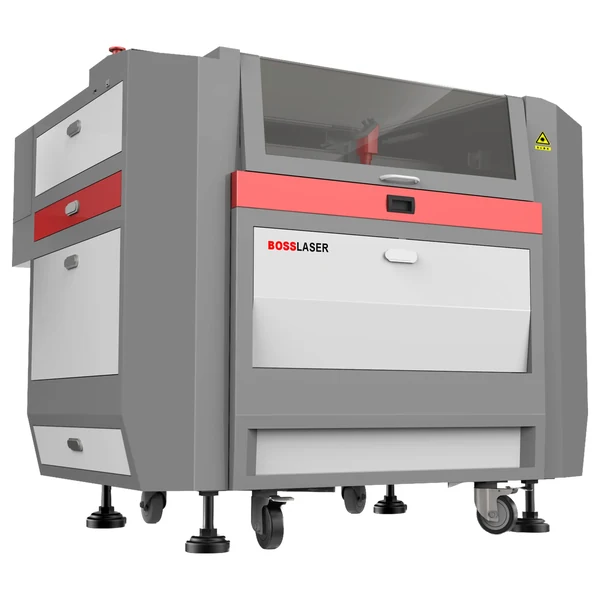
LS Series
The workhorse behind most personalization businesses — wood, acrylic, leather, glass and coated drinkware on one platform, with the bed area and duty cycle to run orders rather than samples.
- Covers every non-metal product on this page
- Takes a rotary for drinkware and bottles
- Built for an all-day duty cycle
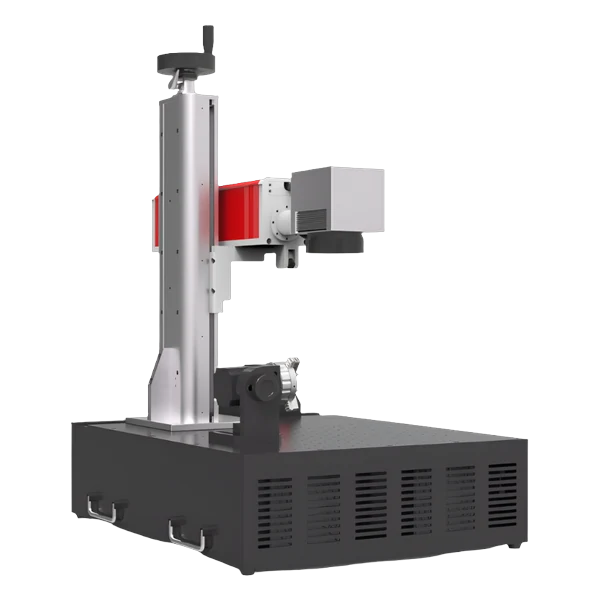
FM Series
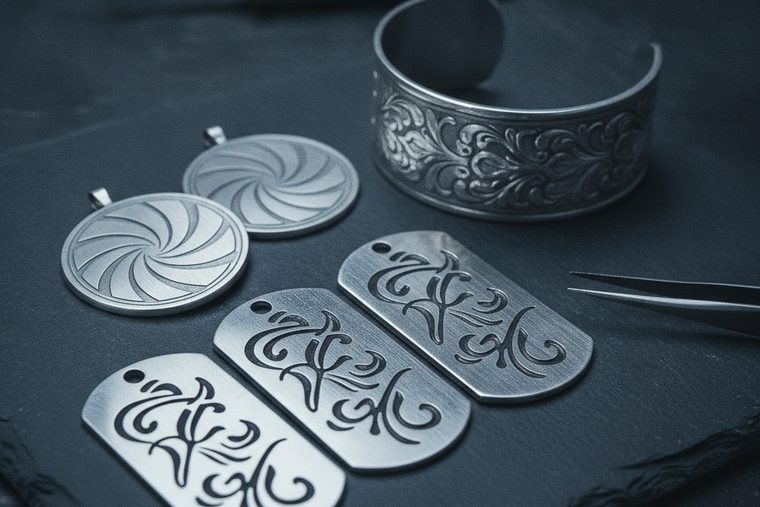
The second machine, and only when the product list genuinely needs it. Permanent marks on bare stainless, aluminium and precious metal — jewellery, tools, tags and nameplates a CO₂ cannot touch. The FM Desktop sits on a bench; the FM Station is a 65″ floor unit at 220 lb, so confirm the format before you plan the room.
- Marks what the CO₂ reflects off
- Desktop or floor-standing — confirm which before planning the space
- Adds B2B tag and nameplate work to the mix
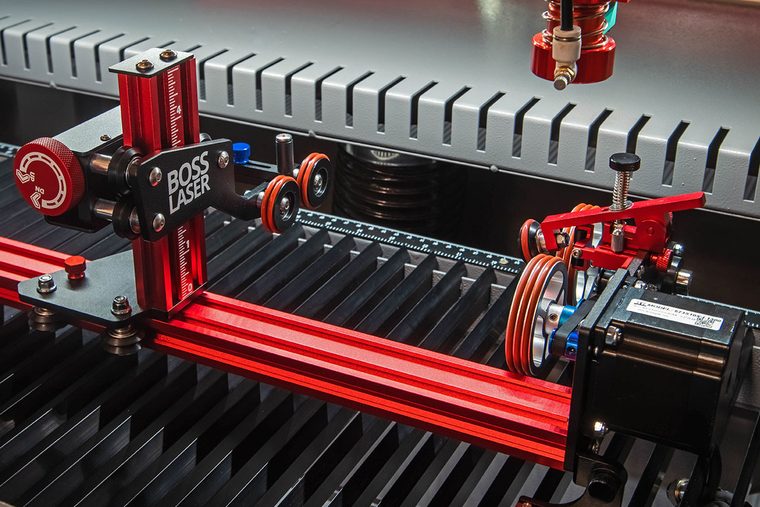
Rotary Attachment
The accessory that opens the drinkware product line. It turns the vessel under a stationary head so artwork wraps the curve without distorting — enter the diameter, set focus on the curve, and the software does the rest.
- Required for wrap-around drinkware art
- Chuck for stemware, roller for straight-walled
- Size it to the largest vessel, bottles included
Buy the rotary by compatibility group, not by model name
Boss sells rotaries in fitment groups rather than one per machine — a single “short” rotary may be listed as fitting two models, and one of those models may be discontinued. Confirm the group, not the name on your machine. This is worth the extra question at order time: the rotary is a steady source of after-the-fact support calls — around 5% of Boss’s inbound — usually to ask which one they should have bought or why the axis is not moving. Check the fitment and the software axis-swap on the same call.
| Product | Machine | What is actually happening |
|---|---|---|
| Powder-coated / anodised drinkware | CO₂ | The beam removes the coating to expose bright steel or bleaches the anodised dye. The metal itself is untouched — this is why coated blanks dominate the category. |
| Bare stainless, aluminium, precious metal | Fiber | At 10.6 µm the CO₂ beam reflects off bare metal and does nothing at all. 1064 nm is absorbed. There is no CO₂ workaround short of a marking spray. |
| Wood, bamboo, leather, cork | CO₂ | Organics absorb 10.6 µm readily and char to a dark, tonal mark — the reason photo engraving works so well on wood. |
| Acrylic | CO₂ | Cuts and engraves in the same job. Cast frosts bright white; extruded stays nearly clear — the stock decides the award, not the setting. Full procedure: how to cut & engrave acrylic. |
| Glass, slate, stone | CO₂ | Frosts the surface by micro-fracturing it. Low power, high speed — more power gives a rougher mark, not a better one. |
| Marking laminate (Romark) | CO₂ | The beam cuts through the top layer to the contrasting core colour. The standard route for badges and signage plates. |
Boss’s published starting settings for the coated stock this category runs on
| Material | Power % at 70 W / 105 W / 155 W | Speed |
|---|---|---|
| Powder-coated metal — engraving | 35 / 20 / 15 | 325 mm/s |
| Anodised aluminium — engraving | 35 / 20 / 15 | 325 mm/s |
| Romark laminate — engraving | 25 / 20 / 15 | 350 mm/s |
Transcribed from Boss’s own BL2-T83 CO₂ material settings charts at a 0.065 mm scan gap. The complete set — wood, acrylic, glass, stone, leather — is in CO₂ laser settings by material. Every figure is a starting point: coating thickness varies by supplier, which in this category is the single biggest source of surprise between one batch of blanks and the next.
Test one blank from every new supplier before you commit a batch
Coated drinkware is not a standardised product. Two tumblers that look identical can carry meaningfully different coating thickness and chemistry, and the settings that gave a crisp bright mark on last month’s blanks can burn through or barely register on this month’s. Run one piece from each new supplier, keep a labelled reference sample, and fold the test pieces into your material cost the same way you allow for the ones you ruin. This is the most common cause of a production run going wrong on work that had been running fine for months.
And run extraction on every coated job. What you are doing here is burning a polymer coating off metal — a different proposition from engraving bare wood, because the fumes come from the coating and its maker never intended it to be vaporised. Air assist is not extraction: air keeps the plume out of the beam, extraction takes it out of the room. You want both.
Most personalization businesses that struggle are not struggling because of the laser. They are underpricing, because the obvious cost — the blank — is the smallest part of the real one. Price on fully-loaded cost, then add margin:
- Materials, including the ones you ruin. Build in an allowance for the test piece and the misfire — work your own rate out from a few real jobs rather than borrowing a figure, because it swings hard by product and by how settled your settings are.
- Machine time at a per-minute rate. Work out what an hour on the machine has to earn to cover its purchase, service, consumables and the space it stands in, then charge by the minute the job actually runs.
- Design and setup. The artwork, the proof, the fixture and the first-article test — paid once whether the order is one piece or fifty, which is exactly why a job minimum exists.
- Finishing and handling. Peeling, cleaning, oiling, packing, shipping.
- Overhead. The share of everything that does not attach to a specific job.
Set a job minimum so a one-off stays worth loading the rotary for, and compete on quality and turnaround rather than racing to the bottom on unit price — the customer who wants the cheapest engraved tumbler on the internet was never going to be a good customer. Start with one or two repeatable products, prove the demand small, and reinvest as the orders arrive.
Personalization & custom product FAQs
Common buyer questions.
What people ask before buying a machine to make and sell personalized work.
QHow do you actually make money with a laser engraver?
By selling personalized and short-run custom work — tumblers, boards, ornaments, signage, awards, B2B tags — where the value is in the customization rather than the material, because a personalized piece cannot be mass-bought elsewhere. The discipline that decides whether it works is pricing: charge your fully-loaded cost (blank plus an allowance for ruined pieces, machine time at a per-minute rate, design and setup, finishing and handling, a share of overhead) and then add margin. Set a job minimum so small orders stay worth running. Start with one or two repeatable products and prove demand locally, on Etsy, at craft shows or with a B2B customer before you scale. The machine does not make the money — the product line and the pricing do.
QHow do you laser engrave tumblers?
Mount the tumbler on a rotary so it turns under the beam, enter its diameter so the artwork wraps without stretching, and set focus on the curve rather than the bed. Powder-coated stainless engraves beautifully on a CO₂ laser — the beam removes the coating to expose bright steel, which is the contrast you are selling. Boss publishes 35/20/15% at 325 mm/s for powder-coated metal as a starting point. Bare stainless is a different problem entirely: the CO₂ wavelength reflects off bare metal, so that needs a fiber marker. Test one blank from each new supplier before committing a batch — coating thickness varies more than the blanks look like they do. More in our engraving FAQs.
QCan you laser engrave a sublimation tumbler?
Yes — the laser burns through the sublimation coating to the steel beneath, giving a bright metal-tone mark through the printed surface, which can look excellent against a full-colour wrap. The caveat is the same one that applies to all coated drinkware, only more so: coating quality and thickness vary by brand, and sublimation coatings are not made with lasering in mind. Test one blank from each supplier, keep the reference sample, and re-test when a new batch arrives even from the same supplier. Fold those test pieces into the material cost when you price the job.
QCan you engrave a full, sealed bottle?
Still wine and spirits, yes — full bottles are engraved routinely for gifts and awards, there is no need to empty one first, and the liquid inside behaves as a heat sink. Do not do it to anything carbonated or otherwise pressurised, sparkling wine and beer included: heating the glass of a pressurised vessel is not a risk worth taking for a gift. Use a rotary sized for the bottle diameter, then treat it as an ordinary glass job: low power, high speed, frosting the design onto the label panel. Glass frosts by micro-fracturing the surface, so more power gives you a rougher, chalkier mark rather than a deeper one — if the result looks coarse, come down rather than up.
QAre laser-engraved cutting boards food safe?
On bare hardwood or bamboo, engraving simply chars the wood surface — nothing is added to the board, and it is a personalization staple for exactly that reason. Engrave before oiling where you can, then finish with food-grade mineral oil. The risk is never the wood, it is the coating: a pre-finished board may carry a varnish or sealant that was never assessed for being burned, and you cannot tell by looking. If a board arrives already finished, confirm what the finish is before it goes under the beam, and if nobody can tell you, do not run it. The same rule that governs every unknown material on this site applies here too.
QWhat is the best laser for a small personalization business?
There is no single answer, and anyone who gives you one without asking what you sell is guessing. For a business built on wood, acrylic, leather and glass, a professional CO₂ platform — Boss’s LS Series — covers the whole product list. (HP is that same CO₂ platform with a thin-sheet-metal head on it; if you are never cutting metal, you would be paying for capability this work cannot use.) For bare-metal work like jewellery, tools and tags, you need an FM Series fiber marker instead. Many shops end up running both, because the two wavelengths genuinely do different jobs. At business volume, uptime, work area, throughput and the quality of support matter more than the purchase price, because a machine that is down is costing you orders rather than saving you money. Decide the first two products you intend to sell, and the machine question mostly answers itself. More in our general FAQs.
QHow much should I charge for engraving a tumbler?
There is no universal per-tumbler price, and copying a competitor’s is how people end up working for nothing. Add up the blank plus an allowance for ruined pieces, the machine time at your per-minute rate, the design and setup, the finishing and handling, and a share of overhead — then apply your margin. Two things protect the number once you have it: a job minimum, so a single-piece order still covers the setup it costs you, and pricing on personalization value rather than unit cost. A customized tumbler cannot be bought anywhere else; a plain one can be bought for less than you can make it.
QDo I need a rotary attachment, and which one?
You need one the moment you want artwork to wrap around a curved surface — tumblers, bottles, glasses, pint cups. Without it you can only engrave a small flat-ish patch on the side. There are two types: a chuck rotary grips the vessel at one end and suits stemware and tapered shapes, while a roller rotary sits the vessel on turning rollers and suits straight-walled tumblers. The thing worth getting right at order time is fitment: Boss lists rotaries by compatibility group rather than one per machine, and a group can span more than one model, including discontinued ones. Confirm the group against your exact machine, and check that the rotary axis is enabled and swapped in your software when it arrives — those two questions account for most rotary support calls.
Sources
Power and speed figures for powder-coated metal, anodised aluminium and marking laminate are transcribed from Boss’s own BL2-T83 CO₂ material settings charts (70 / 105 / 155 W tiers, 0.065 mm scan gap) — first-party Boss data, and the same figures published on CO₂ laser settings by material. That a CO₂ laser removes a coating rather than marking the metal beneath, and cannot mark bare mill-finish metal without a marking spray, is Boss’s own published guidance. Rotary fitment is grouped by compatibility in Boss’s accessory catalogue, and the ~5% support-volume figure is from Boss’s own inbound support data; confirm the group against your machine at order time. The pricing method here is standard job-costing practice rather than a Boss figure — no per-piece price is published or implied, because it depends entirely on your own costs. Every setting is a starting point: coated blanks vary by supplier, so test before a batch.
Still deciding?
Talk to a Boss Laser specialist about your product mix.
Tell us the first two products you intend to sell and roughly what volume — we’ll tell you whether that is one machine or two, and make sure the rotary fitment is right before it ships rather than after.