
Series Support
UV Series Support
Support resources for the UV galvo markers — cold, high-contrast marking on plastics, glass, ceramics, and other sensitive materials.
Documentation for this system is available from Boss technical support.
Marker quick fixes
Try these first.
Each quick fix includes a short explanation, a first action, and a guide when available.
Try this first
Mark Too Light / No Contrast
Low contrast is usually power, frequency, speed, or focus height — not a hardware fault.
- Adjust power, frequency, and speed together.
- Confirm focus height for the material.
- Test on scrap before committing to the part.
Try this first
Not Firing / No Mark
No mark at all points to the source, interlocks, or red-dot alignment before any parameter change.
- Check the source and interlocks.
- Confirm red-dot alignment to the mark area.
- Verify emission and Q-switch settings.
Try this first
Focus & Lens Selection
The lens sets your field size and spot. Match the lens and Z height to the part before troubleshooting the mark.
- Match the lens to the field size you need.
- Set the correct Z / focus height.
- Confirm focus with the gauge or ramp test.
Guides
Support references for marking.
Step-by-step guide pages you can work at the machine.
UV Series model support
Choose your model.
The model page adds owner-facing tests and model-specific downloads for that exact machine.
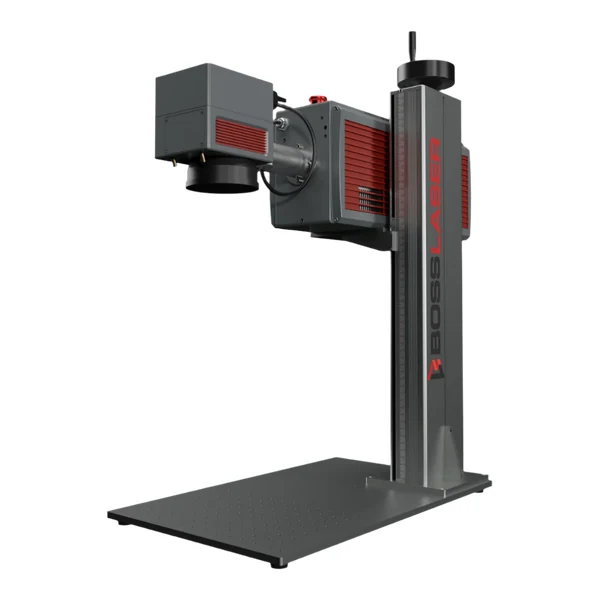
UV Laser Marker
Air-cooled UV marker support for setup, focus, lens selection, and high-contrast cold marking on sensitive materials.

3D UV Marker
UV marking-system support for setup, focus, lens selection, and 3D sub-surface and high-detail marking.
Common questions
UV Series FAQs.
Which manual covers my UV system?
The UV Series documentation is available from Boss technical support — request it from the card above or open your model below.
My mark is too light — what do I change?
Start with power, frequency, and speed together, then confirm focus height for the material. Test on scrap before running the part.
What lens do I need for my field size?
A larger field size needs a longer focal-length F-theta lens, while a smaller field with a shorter lens gives a finer spot and more detail. Match the lens to the part in the lens and field-size guide.
Still need help?
Contact Boss Laser technical support.
Include your marker model, serial number, the material, the lens and settings, a photo of the mark, and which checks you completed.