
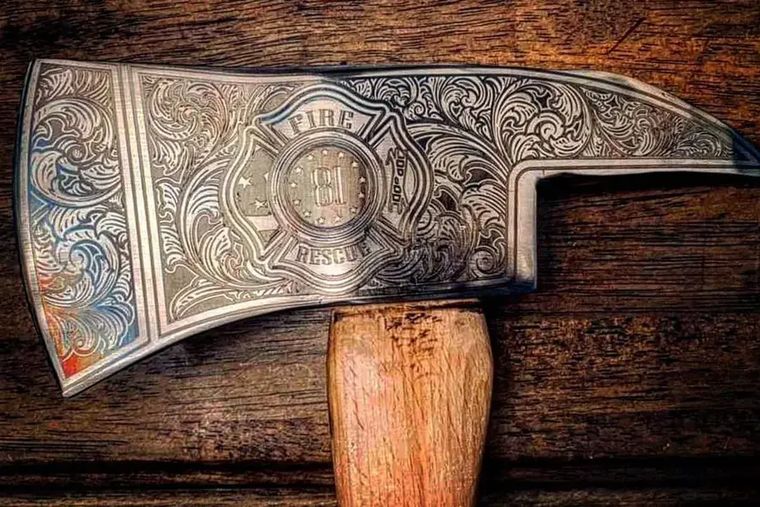
Choose laser technology based on what you need to engrave.
Engraving covers a lot of very different jobs. Start from the material you need to mark and the technology narrows quickly — model numbers can wait.
Already know what you are engraving?
Permanent marks on bare metal point to a fiber or UV marker. Wood, acrylic, glass, leather, and coated products point to CO2. Jump straight there, or use the cards below.
Choose a fiber or UV marker.
Fiber and UV lasers make permanent marks directly on bare metal — annealing, etching, deep engraving, and serialization — without inks or sprays.
Choose a CO2 engraver.
CO2 systems are the right fit for organic and non-metal materials — wood, acrylic, glass, leather, slate, and paper — and for coated / anodized metals.
Two options for shops that do both.
Plenty of shops engrave wood and acrylic all day and still need to mark metal parts. One machine can cover both — which one depends on whether that metal is coated or bare.
HP Series High-Power CO2
For high-volume, large, or thicker non-metal engraving, and for coated-metal marking on a big bed.
FC FlexCUT
For shops that engrave organics with CO2 and also need true fiber marking of bare metal in one shared work area.
CO2 choices mostly come down to size, power, and production level.
The CO2 lines overlap in what they engrave, so the material rarely decides it. Bed size, wattage, and the motion package do — which comes down to how much you run.
Engraving tumblers or glassware?
Round work needs a rotary to turn it under the beam. See how the PiBurn roller and Grip 2 chuck work, then the six LS and HP packages that include one.
EVO Desktop
Compact CO2 for makers, Etsy shops, schools, and first serious buyers who engrave smaller goods on a desktop footprint.
- Best for personalization and light production.
- Pass-through supports longer stock.
LS-1420 / LS-1630
Step-up CO2 platforms for shops that need more capability than a desktop without jumping to a large bed.
- Best for growing shops, schools, and product makers.
- Hybrid servo motion for clean engraving detail.
LS-2440 / LS-3655
Large-format CO2 workhorses for signage, awards, furniture parts, and higher-volume engraving.
- Mach4 upgrade for tighter motion control.
- Strong fit for accuracy-sensitive CO2 production.
Marking bare metal is a fiber or UV job, not CO2.
For permanent marks on metal — serial numbers, logos, QR codes, and part ID — the decision is fiber vs UV, based on the material and the mark you need.
FM Series Fiber Markers
The default for durable metal marking — annealing, etching, and deep engraving on steel, stainless, aluminum, brass, and coated metals.
- Permanent marks with no inks, sprays, or consumables.
- Rotary options for cylindrical parts.
- Marks fast enough for production traceability.
UV Series Markers
A low-heat “cold” laser for fine, high-contrast marks on sensitive plastics, electronics, glass, and specialty materials.
- Minimal heat-affected zone for delicate parts.
- Fine detail on small components.
- Marks materials that fiber can discolor or damage.
Name the mark you actually need.
“Engraving” means four different results on metal. Find the one you are describing, and the laser follows.
Laser engraving FAQs
Questions that come up before the model numbers.
What CO2 can and cannot mark, when the job needs fiber or UV, and how much power engraving actually takes.
QWhat can a CO2 laser engrave?
Wood, acrylic, glass, leather, slate, paper, and coated or anodized metals. CO2 is the broad workhorse for non-metal engraving and personalization.
QCan a CO2 laser engrave bare metal?
Not directly. CO2 marks coated or anodized metal, or bare metal treated with a marking spray. For permanent marks on bare metal, use a fiber laser.
QWhat laser marks metal permanently?
A fiber laser. It anneals, etches, and deep-engraves steel, stainless, aluminum, brass, and coated metals with no inks or consumables — see our guide on marking vs. engraving metal.
QFiber or UV — which marker do I need?
Fiber for most metal marking. UV for low-heat, fine-detail marks on sensitive plastics, electronics, and glass that fiber can discolor or damage.
QCan you engrave glass with a laser?
Yes, with a CO2 laser. It frosts the surface for logos, text, and photos. Run low power and higher speed for a smoother, cleaner frost.
QHow much power do I need to engrave?
Engraving needs far less power than cutting. Most engraving is about speed, resolution, and material — not maximum wattage.
Not sure which engraver or marker fits?
Start with the material and the mark.
Tell us the material and the mark you need. Boss can help narrow CO2 vs fiber vs UV before you compare models.