
Every laser
Vector vs. raster
Everyone
You need two machines
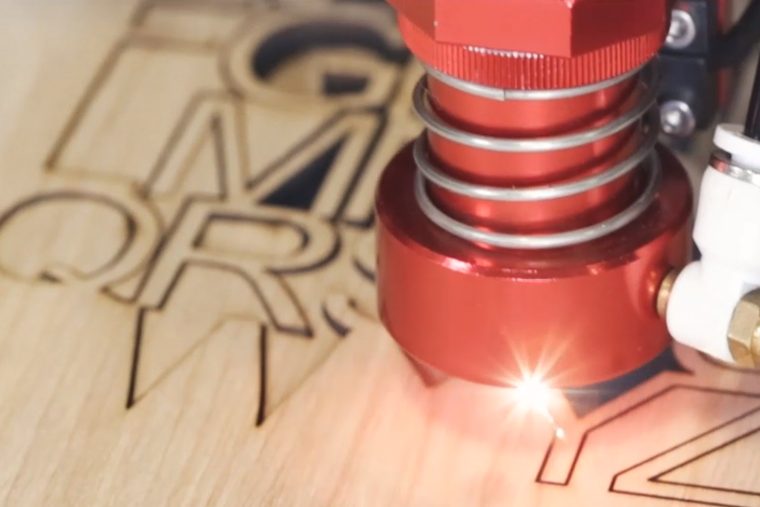
Cutting goes through; engraving goes in. That is the depth answer, and it is correct as far as it goes. The distinction that actually governs your day is how the beam moves: cutting runs as a vector — the beam follows the lines of your artwork like a pen — while engraving runs as a raster, sweeping back and forth across the area and switching on and off to build an image, like a printer. Cutting concentrates energy in one place; engraving spreads less energy over a surface. One machine does both. You change power, speed, passes and job type — not equipment.
1 · The depth difference.
| Cutting | Engraving | |
|---|---|---|
| Depth | Full thickness — the part separates | A controlled recess in the surface |
| Energy | More, concentrated on a line | Less, distributed over an area |
| Result | Two pieces | One piece, marked |
| Typical use | Parts, profiles, apertures | Logos, text, images, texture |
| Speed driver | Thickness | Area and resolution |
A useful consequence: engraving time scales with area, cutting time with path length. A large solid engraved panel can take far longer than cutting the same panel out, which surprises people quoting jobs.
2 · Vector vs. raster — the distinction that matters.
Your software is asking this question whether or not it uses these words.
| Vector | Raster | |
|---|---|---|
| Beam motion | Follows the lines of the artwork | Sweeps left-right, line by line, down the area |
| Analogy | A pen drawing | An inkjet printer |
| Used for | Cutting, scoring, outlines | Engraving fills, images, photographs, solid areas |
| Artwork wants | Clean paths — SVG, DXF, line geometry | Resolution — bitmaps, filled shapes |
| Time driven by | Total path length | Area and lines-per-inch |
Where most beginner jobs go wrong
Almost always at the artwork stage, not the machine. A shape drawn as a filled object rasters when you wanted it to cut; a hairline outline cuts when you wanted it filled. Set line colour or layer conventions and stick to them — most controllers map colours to operations, so a consistent convention (say, red = cut, black = engrave, blue = score) removes a whole class of mistakes.
3 · Scoring — the middle case.
Between the two sits scoring: a vector pass at reduced power that marks a line without cutting through. It’s how you get crisp outlines, fold lines, and register marks without the fuzziness of a rastered thin line.
Worth knowing because it’s frequently the right answer when someone is fighting to engrave a thin line and getting a soft, ragged result — a vector score is sharper and much faster.
4 · Correcting a claim that costs money.
You do not need a separate machine to engrave
You’ll find sources listing “laser type” as a difference between cutting and engraving — claiming cutting uses CO2 or fiber lasers while engraving uses “diodes or other lower-powered lasers.” That is wrong, and it’s an expensive kind of wrong.
A single CO2 machine cuts and engraves. What changes between the two jobs is power, speed, number of passes, and whether the job runs vector or raster — all settings, all on the same machine. Diode engravers do exist as a separate low-cost product category, but that’s a different class of machine, not a requirement of the engraving process.
Where laser type genuinely matters is material, not process: CO2 for non-metals, fiber for bare metal. That comparison →
5 · Assist gas — and the confusion around it.
Sources often say engraving “doesn’t use cutting gas.” That conflates two different things:
- Air assist — a stream of compressed air at the nozzle that keeps smoke and debris off the lens and suppresses flame. Used for engraving as much as cutting, and it’s a fire-safety feature.
- Cutting assist gas — high-pressure oxygen or nitrogen used to clear molten metal from a kerf. That genuinely belongs to metal cutting and has nothing to do with engraving.
So: engraving does want air assist. It doesn’t want a nitrogen supply.
6 · Choosing between them.
| You want… | Process |
|---|---|
| A part separated from the sheet | Cut (vector) |
| A logo or text you can feel | Engrave (raster) |
| A photograph or gradient reproduced | Engrave (raster, higher resolution) |
| A crisp thin outline, no depth | Score (vector, low power) |
| A fold or register line | Score |
| A colour change with no depth at all | Mark — see etching and marking → |
7 · FAQs
Frequently asked
Cutting vs. EngravingQWhat’s the difference between cutting and engraving?
Depth and beam motion. Cutting drives through the full thickness following a vector path; engraving removes a surface recess by scanning raster lines. Cutting concentrates energy; engraving spreads it.
QDo I need separate machines?
No. One CO2 laser does both — you change power, speed, passes and job type. Claims that engraving needs a different laser type are wrong.
QWhat is vector vs raster?
Vector follows the lines of your artwork like a pen — cutting and scoring. Raster sweeps back and forth building an image dot by dot — engraving. Same distinction as line art versus a photograph.
QDoes engraving need assist gas?
It needs air assist — smoke off the lens, flame suppressed. That’s different from the high-pressure oxygen or nitrogen used in metal cutting, which engraving doesn’t use.
8 · Related in this series.
Part of Processes & Techniques:
- Laser etching — the shallower cousin
- The parameters you actually set — power, speed, passes
- How laser cutting works — the physics under both
Keep exploring
One idea leads to the next.
The right process is usually a bigger win than the right settings. Follow the rest of the series, or talk it through with someone who runs these systems.