
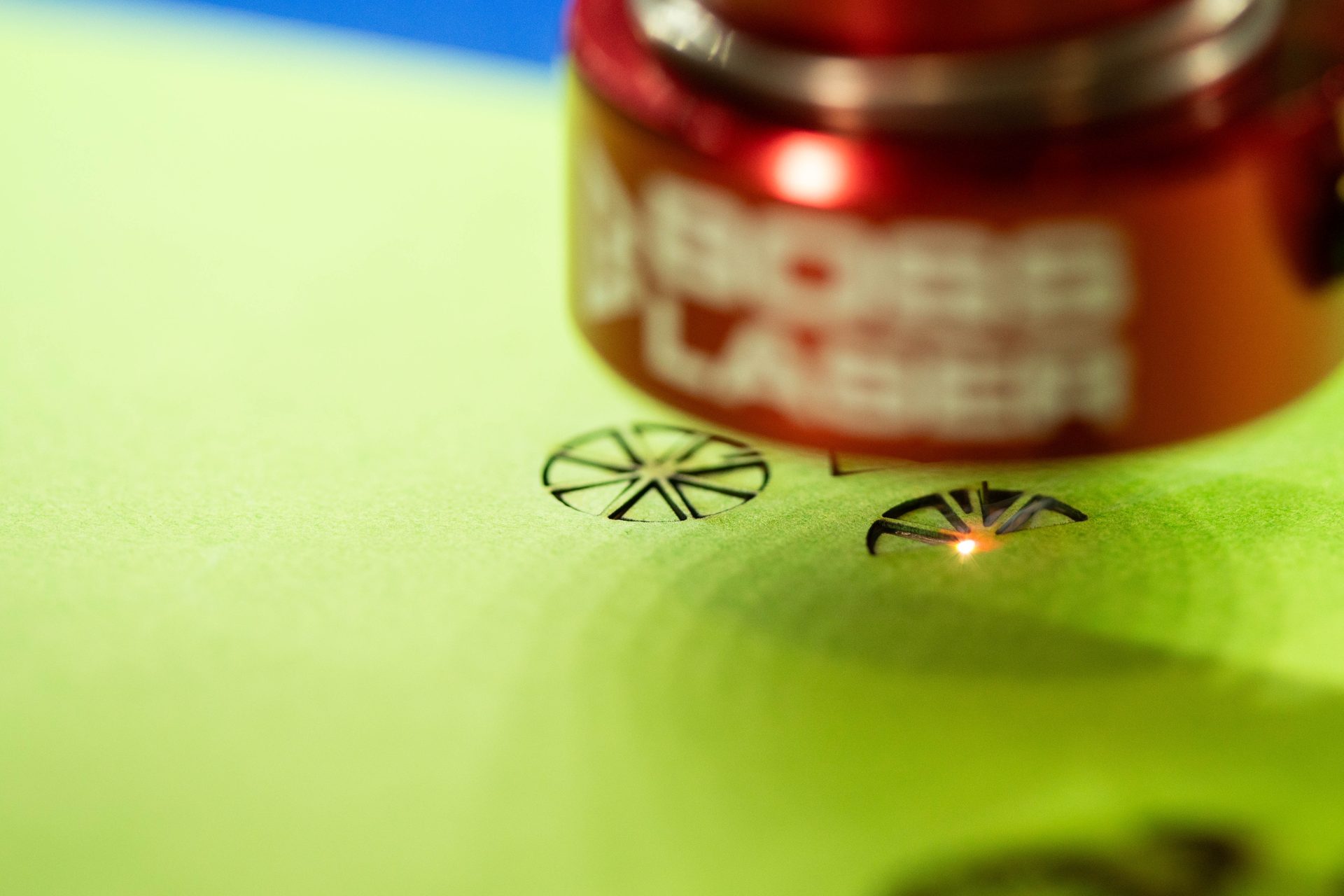
The lowest number on Boss’s entire settings chart is paper.
Cutting paper is the same CO₂ beam doing the same thing to the same kind of material — organic, absorbent, ready to burn — at a fraction of the energy. That changes which problems you have. Nothing here is about getting through the stock. It is all about control at the very bottom of the machine’s range, holding something almost weightless still, and not setting fire to it.
Paper, cardstock, cardboard and corrugated board — invitations, packaging prototypes, model work, stencils and fine cut detail.
Low-end power control, hold-down, air assist balance, and constant supervision.
The one thing worth knowing before anything else
On paper, a bigger tube is not an advantage. Look at Boss’s published cutting chart and paper is the only material whose power percentage does not fall as wattage rises — it is 15% on the 70 W, 105 W and 155 W machines alike, where every other row drops. Combine that with the rule that a CO₂ tube will not fire reliably below about 5% and the picture is clear: what paper needs is fine control at the bottom of the range, and the smallest amount of energy a big tube can deliver is a larger absolute amount than the smallest a small one can. If paper is your main material, more watts is not the upgrade.


A CO₂ sized for your sheet, not for power. Paper work rewards a controllable low end and a bed that takes the sheet whole.
Size a CO₂ SystemCutting (single pass)
| Material | Power % at 70 W / 105 W / 155 W | Speed | Thickness |
|---|---|---|---|
| Paper | 15 / 15 / 15 | 20 mm/s | 1/100″ |
| Cardboard | 70 / 60 / 50 | 15 mm/s | 1/4″ |
Engraving (scan gap 0.065 mm)
| Material | Power % at 70 W / 105 W / 155 W | Speed |
|---|---|---|
| Cardboard | 25 / 20 / 15 | 350 mm/s |
The two cutting rows are the extremes of the same family. Paper at 1/100″ is essentially a surface — the lowest power figure Boss publishes for anything. Cardboard at 1/4″ means corrugated board, and the high percentage reflects thickness, not toughness. Boss publishes no separate row for cardstock; it sits between the two, and the sensible approach is to start from the paper row and climb.
The complete set of Boss’s charts — wood, acrylic, leather, glass, stone and coated metals — is in CO₂ laser settings by material.
1 · Scorching, and cutting without burning
Paper has no depth to hide damage in. On wood a slightly hot setting leaves a brown edge you can sand; on a wedding invitation it leaves a brown edge that is the product. The recipe is the same one that controls char everywhere on this site, applied harder: the least power that severs, the highest speed that still cuts, and air assist blowing the plume clear. Going faster at slightly higher power is usually better than going slower at lower power, because dwell time is what scorches. Coated and clay-filled stock discolours differently from uncoated — and a dark or dyed-through card hides a scorch that would ruin a white one, which is a stock-selection decision as much as a settings one.
2 · Holding something that weighs nothing
A sheet of paper on a honeycomb bed is being blown at from above by the air assist and pulled at from below by the exhaust. It will lift, and a sheet that lifts mid-job cuts in the wrong place, folds under the head, or both. Every practical fix is about holding it flat: a bed that pulls a vacuum through the honeycomb is the clean answer; failing that, tape or weight the margins outside the artwork, cut on a backing sheet, or keep a piece of scrap over unused areas. Lowering air assist to stop the lifting is the tempting move and the wrong one — it trades a hold-down problem for a scorching problem.
3 · Fire, said plainly
Paper and thin card are the materials most likely to catch and stay alight. A flame that would self-extinguish on a 1/4″ board has plenty to feed on in a sheet of tissue, offcuts under the slats or a nest of cut-out waste. Attended operation is the rule on any laser, and paper is the material that makes the reason obvious. Clear the bed and the tray of offcuts between jobs rather than letting waste accumulate, keep the extraction working so the plume leaves rather than lingering, and stay with the machine. This is not a reason to avoid the material — it is normal shop discipline for the one stock that punishes being left alone.
Corrugated board is not one material
Corrugated is two flat liners with a fluted layer between them and air in the gaps. The beam meets liner, then void, then flute, then void, then liner — which is why a setting that cuts perfectly along one line can leave a tag a centimetre later where a flute happened to sit differently. Engraving has the same problem in reverse: take off the top liner and you expose the flutes beneath, which looks like damage rather than artwork. For clean results, either use solid board rather than corrugated, or design the artwork to run along the flute direction rather than across it.
Cut a dieline in board, fold it, and hold the box an hour after drawing it. Replacing a week of tooling turnaround with an afternoon is the single strongest business case on this page.
Intricate cut detail in cardstock — lace edges, cut-through monograms, layered pockets — at a level of detail no craft cutter reaches.
Chipboard, museum board and basswood sheet all cut on the same machine, which is why architecture programmes keep one in the shop.
Cut once, use repeatedly. The stencils article covers what makes a stencil design hold together.
Paper & card FAQs
Questions people ask about cutting paper and card.
Including the two that decide whether it is worth doing at all.
QCan a laser cutter cut paper and cardstock?
Yes, and it is one of the things a CO₂ laser does best — intricate cut detail in paper is beyond what a blade-based craft cutter can hold. Boss publishes a cutting setting for paper at 15% power on all three wattage tiers (70 W, 105 W and 155 W) at 20 mm/s for stock around 1/100″, which is the lowest figure anywhere in its material charts. Cardstock is not a separate row; it sits between paper and cardboard, so start from the paper setting and climb until it severs cleanly. The real work is not getting through the sheet — it is avoiding a scorched edge, holding something almost weightless flat against the air assist, and not walking away from the machine. Note the interesting consequence of that flat 15%: paper is the one material where a higher-wattage machine offers no advantage, because what the job needs is fine control at the bottom of the range rather than headroom at the top.
QHow do I cut paper without burning it?
Attack dwell time, not power. Scorching comes from heat lingering at the cut line, so the effective combination is the least power that severs, the highest speed that still cuts, and air assist blowing the plume out of the way — and given a choice between going slower at lower power and going faster at slightly higher power, the faster option usually leaves a cleaner edge. Everything else is stock and setup. Keep the sheet dead flat, because a lifted sheet is momentarily out of focus and takes a wider, hotter beam. Use a backing sheet so reflected energy off the honeycomb does not mark the underside. And choose the paper with the outcome in mind: a coated or clay-filled card discolours differently from an uncoated one, and stock that is dyed through rather than white will hide a faint scorch that would ruin a pale sheet. Prove the setting on an offcut of the same paper — paper varies by brand far more than wood varies by species.
QCan a laser cut cardboard, and what about corrugated?
Yes. Boss publishes a cardboard cutting setting of 70% / 60% / 50% at 15 mm/s for 1/4″, plus an engraving setting of 25% / 20% / 15% at 350 mm/s — the high cutting percentage is about thickness, not toughness. Corrugated board behaves less predictably than solid board, and it is worth knowing why: it is two flat liners with a fluted layer and air gaps between them, so along a single cut line the beam passes through solid material in some places and voids in others. That is what causes a cut that runs perfectly for an inch and then leaves an uncut tag. Engraving corrugated has the mirror problem — remove the top liner and you reveal the flutes underneath, which reads as damage rather than design. If the result has to be clean, use solid board; if it has to be corrugated, orient the artwork along the flutes rather than across them, and expect to hold it down well because board this light lifts in the airflow.
QCan you laser engrave paper or cardboard?
You can, with the understanding that engraving paper means scorching its surface rather than removing depth — there is no depth to remove. On card you get a tonal mark in shades of brown, which can be beautiful on a heavy uncoated stock and looks like a mistake on a thin coated one. Boss publishes an engraving setting for cardboard (25% / 20% / 15% at 350 mm/s) but none for paper, which is a fair reflection of where the technique is worth using. Expect the mark to be a surface discolouration with no tactile relief, expect coated stock to behave unpredictably because you are burning the coating rather than the fibre, and expect thin stock to distort from the heat. Where you want dimension rather than tone on paper, the answer is almost always to cut rather than engrave — cut-through detail, layered card, or a cut-and-fold — because that is what the material is good at.
QHow do I stop paper lifting or moving during the cut?
Hold it down, and resist the temptation to fix it by turning the air off. A sheet on a honeycomb bed is being blown at from above and drawn at from below, and once it lifts the cut lands in the wrong place, the sheet can fold under the head, and the lifted area is momentarily out of focus and therefore scorches. The clean answer is a bed that pulls a vacuum through the honeycomb, which holds the whole sheet without touching the artwork. Without one: tape or weight the margins outside the cut area, cut on a backing sheet, lay scrap over large unused regions, and sequence the job so the outer boundary is cut last — the moment the perimeter is severed, the sheet is loose. Turning down the air assist does stop the lifting and starts a scorching problem instead, which is a worse trade on the one material where the edge is the product.
Sources
The paper and cardboard power, speed and thickness figures are transcribed from Boss’s own BL2-T83 CO₂ material settings charts (70 / 105 / 155 W tiers) — first-party Boss data. The 5%–95% power limits, the refocus rule and the air-assist requirement come from the Boss HP Series User Manual. The observation that paper is the only flat row in the chart is ours, read directly off Boss’s published figures. Boss publishes no row for cardstock and no engraving row for paper, and we have not filled either gap with an estimate. Hold-down technique, backing sheets and stock selection are ordinary shop craft, and fire discipline is standard laser operating practice rather than a Boss-specific instruction.
Still deciding?
If paper is the main material, say so early.
It changes the recommendation more than almost anything else you could tell us — this is the one application where the honest answer is often a smaller machine with a bed that takes your sheet, rather than more power.