
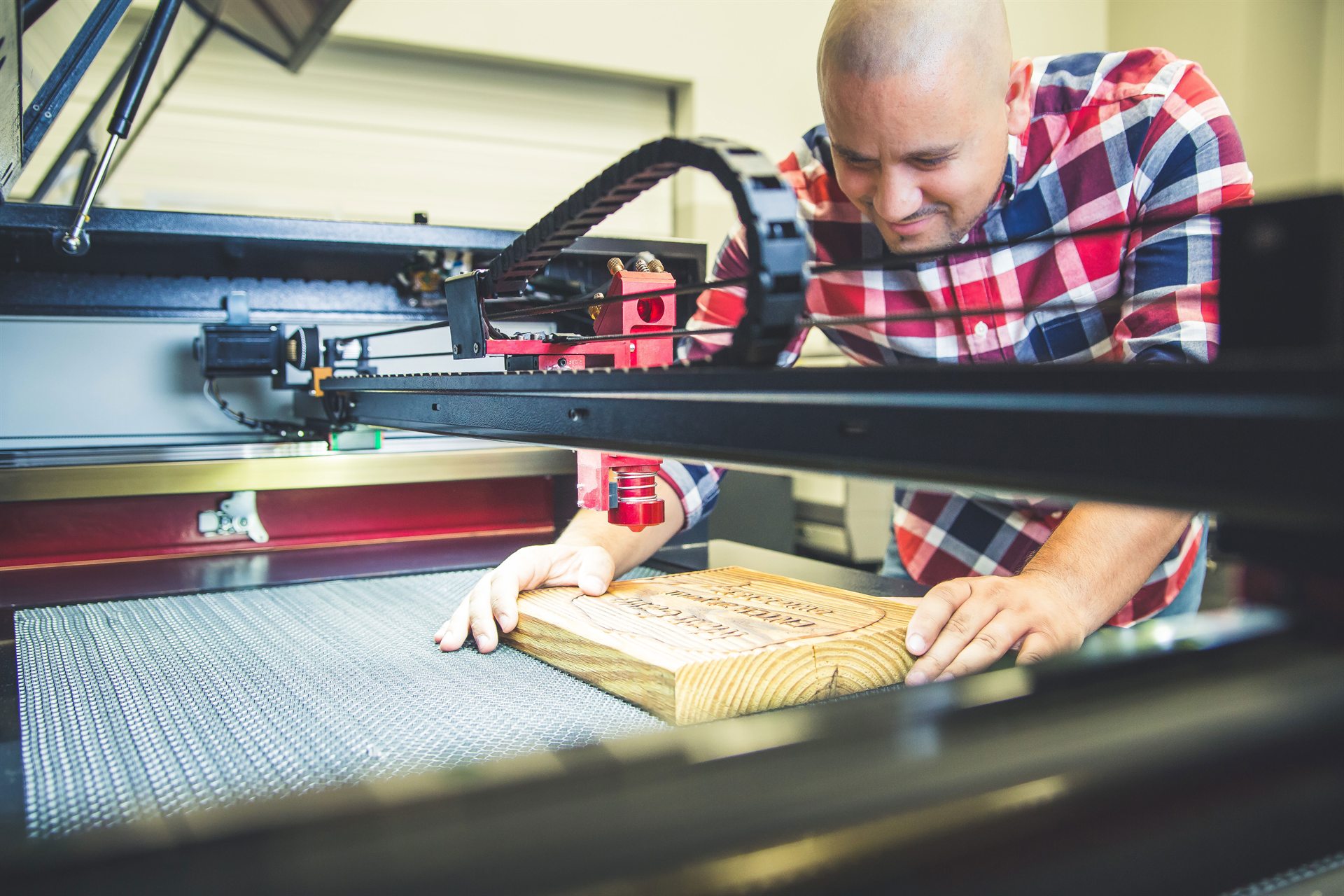
Boss CO₂ machines — LS, HP and EVO
Boss BL2-T83 settings charts
70 W · 105 W · 155 W
A starting point, then test on scrap
Every number on this page comes from Boss’s own published BL2-T83 material settings charts — first-party data for the CO₂ platform, not industry averages. Power is given as a percentage at each of the three wattage tiers, and it falls as wattage rises: a 155 W tube needs less of its output to do what a 70 W tube does at full stretch. Engraving runs fast and light at a constant 0.065 mm scan gap; cutting runs slow and hot in a single pass. Treat all of it as a tested starting point rather than a guarantee — stock varies, machines age, and a scrap test costs one minute.
1 · How to read these settings
- Power % is per wattage tier, written 70 W / 105 W / 155 W. Read down the column that matches your machine. If you do not know your wattage, it is on the machine plate and on your invoice.
- Engraving uses a constant scan gap of 0.065 mm unless a chart says otherwise. That is the line spacing the head steps between raster passes.
- Cutting figures are single-pass at the thickness listed. Where a speed is a range (10–20 mm/s), the faster end pairs with the higher wattage.
- Thickness is a ceiling on the chart, not on the machine. Boss publishes up to ¼″. Thicker stock is cut all the time with more power, slower speed and multiple passes — there is simply no published number for it, so we do not print one.
Three rules that sit underneath every number on this page
Refocus for every new material. The focal point is a fixed distance below the lens, so stock thicker or thinner than your last job sits off-focus and the beam that lands is wider and weaker — the single most common cause of engraving that looks faint.
Stay between 5% and 95% power. Below about 5% the tube will not fire at all; above 95% you shorten tube life for very little gain. A job that needs more than 95% needs a slower speed or a second pass instead.
Air assist and extraction are two different jobs. Air blows the plume out of the cut so it cannot shield the beam or film the lens. Exhaust or filtration pulls fumes out of the machine and away from you. You need both.
2 · Wood
The material Boss publishes the most figures for — and the one where the numbers move most between species, because grain, density and resin content all change how the beam is absorbed.
Cutting
| Wood | Power % (70 / 105 / 155 W) | Speed (mm/s) | Thickness |
|---|---|---|---|
| Balsa | 60 / 55 / 50 | 25 | 1/8″ |
| Bass | 60 / 55 / 40 | 25 | 1/8″ |
| Birch | 80 / 70 / 65 | 10–20 | 1/4″ |
| Birch plywood | 85 / 75 / 70 | 10–20 | 1/4″ |
Engraving (scan gap 0.065 mm)
| Wood | Power % (70 / 105 / 155 W) | Speed (mm/s) |
|---|---|---|
| Balsa | 25 / 20 / 15 | 350 |
| Bass | 35 / 25 / 20 | 350 |
| Birch | 35 / 25 / 20 | 350 |
| Birch plywood | 30 / 25 / 20 | 350 |
A quirk in the source, recorded rather than resolved: Boss’s birch and birch-plywood cutting charts are both internally titled “Birch Wood Cutting” yet carry different power values. They are listed here by source file rather than guessed at. If the difference matters for your job, confirm with Boss which is which.
Char is the usual complaint on wood, and it is a heat problem rather than a power problem: raise air assist, raise speed, then drop power to the least that still cuts through. Resinous species and glue-heavy plywood char more than clean solid stock. Full detail on Wood, Paper & Natural Materials.
3 · Acrylic
One material, two very different jobs — and the widest gap on this page between an engraving setting and a cutting setting.
| Job | Power % (70 / 105 / 155 W) | Speed (mm/s) | Scan gap | Thickness |
|---|---|---|---|---|
| Cutting | 80 / 75 / 65 | 10–20 | — | 1/4″ |
| Engraving | 25 / 20 / 15 | 350 | 0.065 mm | any |
Acrylic is the one material where you may want less air, not more. The clear flame-polished edge is molten acrylic re-flowing and freezing smooth; too much air at the cut line cools it early and frosts it. That is the opposite of the advice for every other material here.
And the setting will not save the wrong stock: cast acrylic frosts bright white when engraved, extruded engraves dull and grey. If your engraving looks weak after chasing power and speed, check which sheet you are running — see cast vs extruded acrylic. Full detail on Acrylic & Plastics.
4 · Paper, cardboard & foam
Cutting
| Material | Power % (70 / 105 / 155 W) | Speed (mm/s) | Thickness |
|---|---|---|---|
| Paper | 15 / 15 / 15 | 20 | ~1/100″ |
| Cardboard | 70 / 60 / 50 | 15 | 1/4″ |
| Foam | 60 / 55 / 40 | 25 | 1/4″ |
Engraving (scan gap 0.065 mm)
| Material | Power % (70 / 105 / 155 W) | Speed (mm/s) |
|---|---|---|
| Cardboard | 25 / 20 / 15 | 350 |
Note that paper is the only row on this page where the power does not drop with wattage — at 15% across all three tiers it is already as gentle as the chart goes. These are the materials that catch fire. Never run paper, thin card or foam unattended, and keep offcuts clear of the bed.
5 · Leather & rubber
Cutting
| Material | Power % (70 / 105 / 155 W) | Speed (mm/s) | Thickness |
|---|---|---|---|
| Leather | 85 / 75 / 70 | 10–15 | 1/8″ |
| Rubber | 85 / 75 / 70 | 10–15 | 1/8″ |
Engraving (scan gap 0.065 mm)
| Material | Power % (70 / 105 / 155 W) | Speed (mm/s) |
|---|---|---|
| Leather | 25 / 18 / 15 | 350 |
| Rubber | 30 / 20 / 15 | 350 |
Boss publishes no fabric or textile row, and neither will we. Weave, weight and fibre content change the answer completely — a felt and a fine silk have nothing in common under a beam. Start well below the leather engraving figures and work up on scrap.
The material-safety question that matters more than any setting here
PVC-based “vegan leather” must never go in a laser. It releases hydrogen chloride gas — harmful to anyone in the room and corrosive to the machine from the inside out. PU-based faux leather runs acceptably, and the two are near-identical on the roll, so the question for your supplier is never “is this vegan leather?” but “is the backing PU or PVC?” Leather and rubber are also the smelliest materials a CO₂ laser runs; chrome-tanned hide can release chromium compounds. Extraction is not optional. Full detail on Leather, Fabric & Soft Goods.
6 · Glass, ceramic & stone
There is no cutting table in this section, because there is nothing to put in it. A CO₂ laser frosts and etches these materials; it does not pass through them. That is a real, repeatable, saleable result — it is simply not cutting.
Engraving (scan gap 0.065 mm)
| Material | Power % (70 / 105 / 155 W) | Speed (mm/s) |
|---|---|---|
| Glass | 27 / 25 / 20 | 325 |
| Ceramic | 65 / 40 / 27 | 350 |
| Granite | 40 / 25 / 18 | 275 |
| Mirror (back side) | 30 / 20 / 15 | 325 |
Read the pattern rather than just the numbers: ceramic and granite need far more power and slower speed than glass — that gap is the whole practical difference between these materials. Mirror gets its own row because it is engraved from the back, through the glass onto the silvered layer.
Chipping instead of clean frosting is too much heat: the frost you want and the flaking you do not are the same mechanism at different intensities, so lower power and raise speed before anything else. When the detail needed is finer than a CO₂ frost can resolve, the honest answer is a UV marker. Full detail on Glass, Stone & Ceramic.
7 · Coated metals
| Material | Power % (70 / 105 / 155 W) | Speed (mm/s) |
|---|---|---|
| Anodized aluminum | 35 / 20 / 15 | 325 |
| Powder-coated metal | 35 / 20 / 15 | 325 |
| Romark (marking laminate) | 25 / 20 / 15 | 350 |
What is actually happening here
A CO₂ laser is not marking metal in this section — it is removing a coating to reveal what is underneath. On anodized aluminium it bleaches or ablates the dyed layer; on powder-coated stock it burns off the powder; on Romark it cuts through the top laminate to the core colour. Bare, mill-finish metal cannot be marked by a CO₂ laser at all without a marking spray such as CerMark. Permanent marking on bare metal is a fiber job — see Metal Engraving, Marking & Identification.
8 · Never put these in the machine
| Material | Verdict | Why |
|---|---|---|
| PVC / vinyl | NEVER | Releases hydrogen chloride gas. Harmful to the operator, corrosive to the machine from the inside out. No setting makes it safe. |
| Polycarbonate (Lexan) — for cutting | Avoid | Absorbs CO₂ poorly, yellows and scorches. Engraving is acceptable; cutting is not. |
| ABS | Avoid | Melts rather than vaporising, leaves gummy edges, can emit cyanide compounds. |
| Fiberglass / carbon-fibre composite | Avoid | The resin binder emits toxic fumes and the fibres do not cut cleanly. |
| Unknown coating or laminate | NEVER | If nobody can name the material, nobody can say what it off-gasses. Ask for the SDS. |
Frequently asked
CO₂ settings by materialQWhy does the power percentage go down as wattage goes up?
Because the percentage is a share of the tube’s total output, not an absolute amount of energy. 50% of a 155 W tube is far more power than 50% of a 70 W tube, so a stronger machine needs a smaller share to deliver the same energy to the material. That is why every row on this page falls left to right. It also means you cannot copy a percentage from a machine of a different wattage and expect the same result.
QMy results do not match these numbers. What is wrong?
Usually nothing is wrong — these are starting points, and four things move them. Focus, first and most often: refocus for every new material, since stock of a different thickness sits off the focal point. Optics: a filmed or pitted lens wastes power and mimics a low-power setting exactly. Stock: wood species, acrylic grade, hide thickness and stone hardness all vary between suppliers and between sheets. Tube age: output falls over a tube’s life. Work through focus and optics before you touch the settings.
QCan I cut thicker than the charts show?
Routinely, yes — with more power, slower speed and often multiple passes. What we will not do is print a number for it, because Boss does not publish one and inventing a figure for ½″ oak would be a guess dressed up as data. Two things are worth knowing: edge quality degrades as thickness climbs, and on organics more wattage mostly buys speed rather than dramatically more thickness. If you regularly run thick stock, tell a specialist the thickness you cut most, not the thickest you have ever managed.
QDo these settings work on any CO₂ laser?
They are Boss’s figures for the Boss CO₂ platform — the BL2-T83 controller across the LS, HP and EVO lines at 70, 105 and 155 W. The physics generalises, so they are a reasonable orientation on any CO₂ machine, but the exact percentages assume Boss’s tube, optics and controller. On another manufacturer’s machine treat them as a sanity check on the right ballpark, not as settings to copy.
QHow do I dial in a material that is not on this page?
Start from the nearest listed material of similar density and colour, then run a test grid on scrap of the exact stock — a matrix of power against speed, engraved as small squares, tells you in one pass what an afternoon of single tests would. Boss ships engraving, cutting and scoring test files on the machine’s USB drive for exactly this. Confirm the material is laser-safe first: if you cannot name what it is, do not run it.
9 · Related guides & next steps
Each Applications page below carries its own slice of these charts alongside the craft that goes with it — stock choice, edge finish, fixturing and safety.
- Materials & Safety — what each material does under the beam, and what must never go in, in the Learn library.
- Wood, Paper & Natural Materials — species, grain, char control and photo engraving.
- Acrylic & Plastics — cast vs extruded, flame-polished edges, masking.
- Glass, Stone & Ceramic — rotary work, chipping, and when to route to UV.
- Leather, Fabric & Soft Goods — the PU-versus-PVC question and extraction.
- CO₂ air assist — the setting behind most char and edge-quality complaints.
- Choosing a CO₂ laser lens — matching focal length to fine detail or depth.
- Artwork & greyscale — preparing files so detail survives the engrave.
Settings are the easy part — the machine has to suit the work
Not sure which CO₂ system fits the materials you actually run?
Tell a Boss Laser specialist your materials, your usual thickness and your sheet size. On CO₂ the constraint is far more often bed size than wattage, and we will say so if you need less machine than you think.