
What determines a job’s run time, a rough sense of the range, and how to get an accurate estimate before you press start.
Short answer
It depends on the material, its thickness, the laser’s power, and how detailed the job is. Thin materials like paper or thin acrylic cut in seconds per part; thick hardwood or multiple passes take much longer; and a fine raster engraving can run from minutes to over an hour. As a rule, cutting is faster than detailed engraving, more power cuts faster, and larger or more complex designs take longer. The most accurate answer comes from your software’s time estimate plus a quick test.
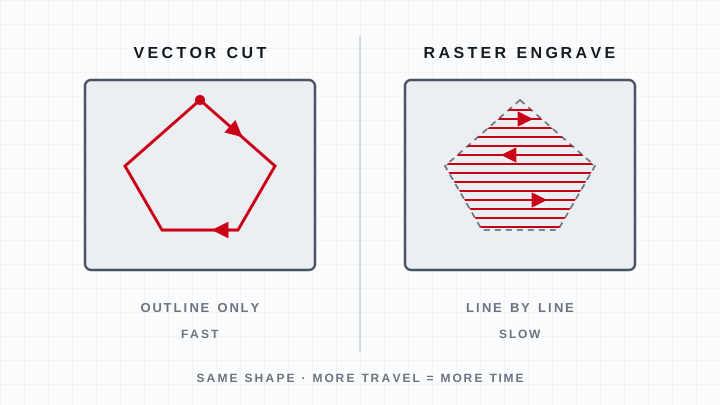
What determines the time.
- Cut vs. engrave: a vector cut follows a line and is fast; a raster engrave fills an area line by line and is slower.
- Material & thickness: thin, easy-to-cut material is quick; thick or dense stock needs slower speeds or extra passes.
- Power: more wattage cuts the same material faster.
- Detail & size: fine detail, high DPI, and large areas all add time.
- Passes: thick cuts done in multiple passes multiply the time.
A rough sense of the range.
Small, simple cuts in thin material — a paper shape, a thin acrylic tag — often finish in seconds to a minute. A batch of medium parts or a thick hardwood cut can run several minutes. A detailed photo engraving or a large filled design can take many minutes to over an hour. The same part is almost always faster to cut than to deeply engrave.
How to get an accurate estimate.
Laser software (such as LightBurn) estimates the job time once your layout and settings are set, which is the fastest way to plan. For production, run one piece and time it, then multiply by quantity and add a little for loading and unloading between parts.
Related questions
How long does it take to laser cut?
It ranges from seconds per part for thin, simple material to over an hour for large or detailed engraving. The drivers are material and thickness, laser power, and how much detail the design has. Cutting is generally faster than detailed engraving.
How long does a laser cutter take to cut a part?
A simple cut in thin material can finish in seconds to a minute, while thick stock or multiple passes takes several minutes. More power shortens the time for the same material. Your software’s estimate is the quickest way to know for a specific job.
How long does it take to laser cut wood?
Thin plywood shapes cut in well under a minute, while thick hardwood or multi-pass cuts take several minutes per part. Higher wattage cuts faster, and added engraving increases the time. Run a test piece to get an accurate number for your material.
How long does it take to laser cut acrylic?
Thin acrylic tags cut in seconds to a minute; thicker sheet takes longer and may need a slower feed for clean, glossy edges. As with any material, power, thickness, and detail set the time. The software estimate plus a test piece gives the real number.
How long should you run a laser cutter at a time?
There is no fixed limit for a well-maintained machine, but never run it unattended — stay with it for fire safety on every job. For long production runs, give the machine and chiller normal operating conditions and watch the optics and bed between jobs.
Keep going
 Learn article
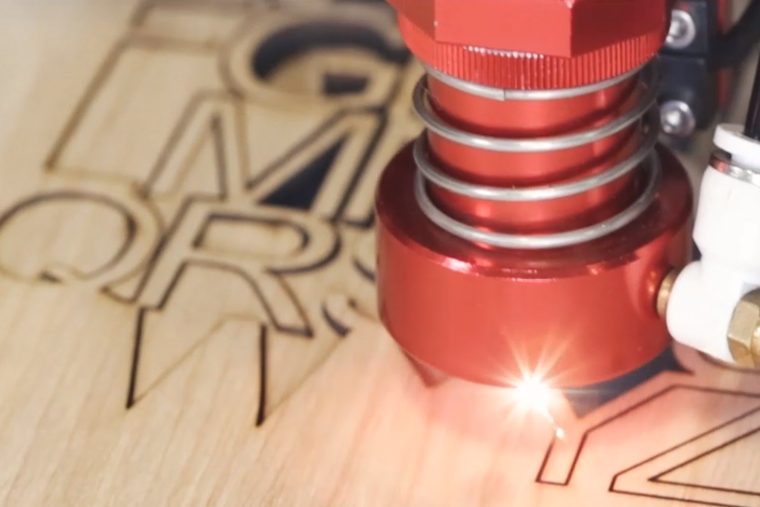
Cutting vs. Engraving
Cutting goes through, engraving goes in — but the distinction that matters operationally is vector versus raster.
Read the article →FAQHow do you use a laser cutter?
See the answer →FAQHow much does a laser cutter cost?
Diode engravers run $300-$4,000, CO2 lasers $2,000-$20,000+, and industrial fiber systems $15,000+.
See the answer → Machines
LS Series CO2 lasers
Boss's floor-standing CO₂ platform for wood, acrylic, leather, glass and stone.
See the machines →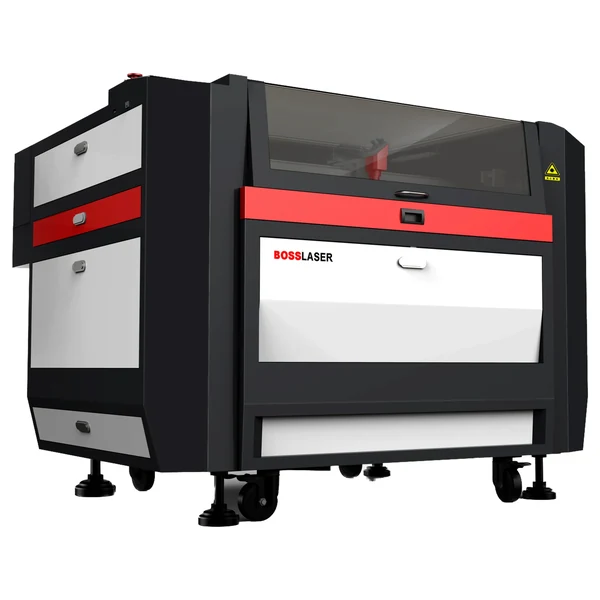 Machines
HP Series CO2 lasers
The CO₂ platform that also cuts thin sheet metal.
See the machines →