
The same simple loop runs every cut — design, settings, focus, test, cut — once you know the steps and how to stay safe.
Short answer
Using a laser cutter follows the same loop every time: prepare a vector design in laser software (such as LightBurn), set power and speed for your material, set focus, run a test cut on scrap, then cut the job with air assist and exhaust on and the lid closed. Use design tools like Illustrator, Inkscape, or any 2D CAD to make the file, then send it to the laser’s software to assign cut and engrave layers. Match settings to the material — and never cut PVC, vinyl, or unknown plastics. Start conservative, test, and stay with the machine while it runs.
Prepare your design and layers.
A laser cutter works from vector paths for cutting and images or fills for engraving. Create the file in a design tool — Illustrator, Inkscape, or 2D CAD — or directly in LightBurn, then assign layers: one for cutting (a thin vector line the beam follows through the material) and one for any engraving. Order them so engraving runs before cutting, so parts do not shift after they are freed.
Set material, focus, and run a test.
- Choose settings for the material — power and speed to cut through, from a tested library; start conservative.
- Place the material flat and set focus with the gauge or autofocus.
- Frame the job so you know exactly where it will cut on the bed.
- Test on scrap of the same material and confirm it cuts fully through.
- Turn on air assist and exhaust, close the lid, and cut — staying with the machine.
- Inspect and save the recipe for next time.
Stay safe while it runs.
Keep the lid closed (the enclosure is your primary protection), run exhaust on every job, and keep a fire extinguisher within reach — a small dancing flame at the cut is normal, a steady flame is not. Never cut PVC or vinyl (hydrogen chloride, then hydrochloric acid) or unknown plastics, and never leave the laser running unattended.
Related questions
How do you use a laser cutter?
Prepare a vector design, set power and speed for your material, set focus, and run a test cut on scrap. Then turn on air assist and exhaust, close the lid, and cut while staying with the machine. Match settings to the material and never cut PVC or unknown plastics.
How do you work a laser cutter / use a laser cutter machine?
Same loop: import or draw a vector file, assign cut and engrave layers in the laser software, set focus, frame the job, and run a test before the real cut. Keep the lid closed and exhaust on, and save your working settings as a recipe for repeat jobs.
How do you use a laser cutter with Illustrator or 2D design software?
Design your file in Illustrator, Inkscape, or any 2D CAD, then export or open it in the laser software (such as LightBurn) and assign cut versus engrave layers by color or layer. The design tool makes the artwork; the laser software handles settings and sends the job.
How do you laser cut, step by step?
Make a vector design; set power and speed for the material; set focus; frame and test on scrap; then cut with air assist and exhaust on. Inspect the first part, adjust one setting if needed, and save the recipe. Always stay with the machine while it runs.
Can you use a laser cutter at home?
Yes, many people run desktop lasers at home, but ventilation and safety are non-negotiable: vent or filter the exhaust outdoors, keep a fire extinguisher nearby, never cut PVC or vinyl, and never run the machine unattended. Choose a machine with a proper enclosure.
Keep going
The Parameters You Actually Set
Read the article →FAQHow do you use a laser engraver?
See the answer →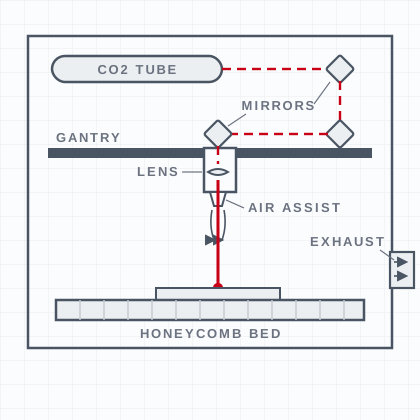 FAQ
FAQWhat is a laser cutter?
A computer-controlled machine that uses a focused laser beam to cut and engrave materials with precision.
See the answer →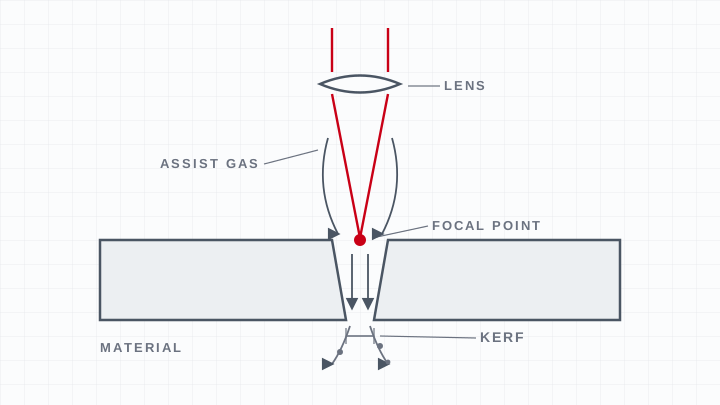 FAQ
FAQHow does a laser cutter work?
A focused laser beam melts, burns, or vaporizes material along a path while assist gas clears the cut.
See the answer → Machines
LS Series CO2 lasers
Boss's floor-standing CO₂ platform for wood, acrylic, leather, glass and stone.
See the machines →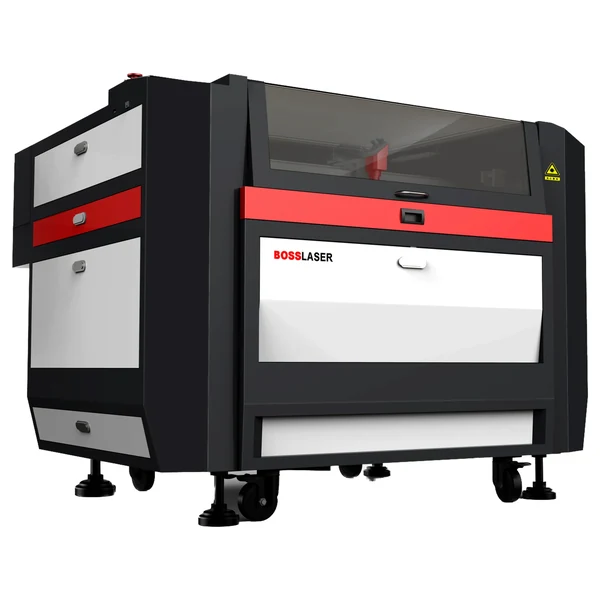 Machines
HP Series CO2 lasers
The CO₂ platform that also cuts thin sheet metal.
See the machines →