
All laser cutting
Non-contact, subtractive
Start here
The linked articles
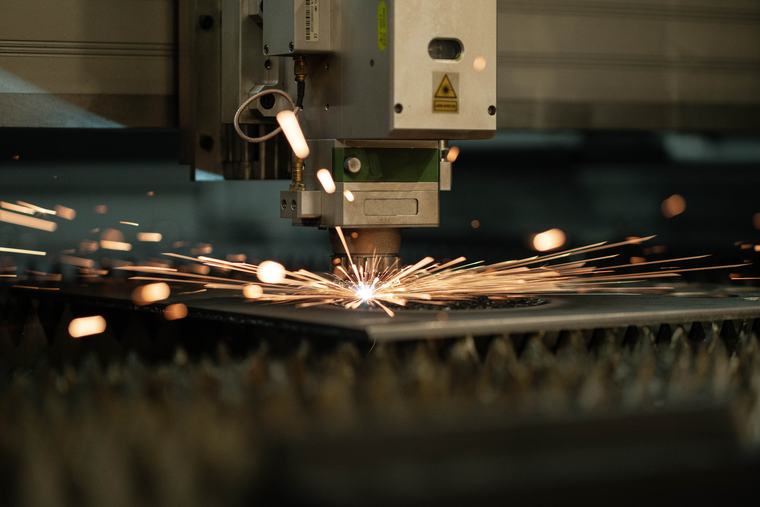
Laser cutting is a non-contact, subtractive way to cut material with a focused beam of light. The beam concentrates enough energy on a tiny spot to melt, burn, or vaporize a narrow path through the material, following a digital design, while assist gas clears the cut. There’s no blade and no tool wear, and changing the part just means changing the file. The results you get come down to a few choices: the cutting mechanism, the laser type (CO2 for non-metals, fiber for metal), and the material. This page walks the whole thing; the linked articles go deep on each piece.
1 · What laser cutting is
Laser cutting is subtractive manufacturing — you start with a sheet and remove material to leave the shape you want. What removes it is heat: optics focus a laser to a spot small and intense enough to take the material past its melting or boiling point, and the beam traces your design like a pen that cuts. Because nothing touches the material, there’s no tool to wear out, no cutting force to distort thin parts, and no retooling between jobs — the design file is the tooling.
2 · The process, start to finish
Every job — a keychain or an aerospace bracket — runs the same loop:
- Design. Draw or import a vector design in laser software (LightBurn, Illustrator, Inkscape) and mark what cuts versus what engraves.
- Set up. Load the material, set power, speed, and focus for that material and thickness, and set the assist gas.
- Cut. The machine drives the focused beam along the path; the beam heats the material and assist gas ejects the debris from the cut.
- Follow the path. The head moves over the material (or the bed moves under the head) to trace the whole design.
- Finish. Inspect the parts and do any light cleanup. On a dialed-in job, there’s little to do.
The habit that saves material
Always run a test cut on scrap first and start conservative on power. Settings depend on the exact material, and a ten-second test saves a ruined sheet. More on cutting parameters
3 · The three cutting mechanisms
Under “the beam heats the material” are three distinct physical processes. Which one is at work depends on the material — and it’s worth understanding, because it explains why some things cut clean and others don’t cut at all.
| Mechanism | What it does |
|---|---|
| Melt & blow | The beam melts metal; assist gas ejects it. How sheet metal is cut. |
| Vaporization | Material boils straight to gas — clean edges on thin organics and foils. |
| Controlled fracture | Brittle materials cracked along a heated line — glass, ceramic, silicon. |
A fourth, closely related process — ablation — removes material a layer at a time and is the basis of marking, cleaning, and texturing.
4 · The laser types that do the cutting
Different jobs use different laser sources, but two cover the vast majority of cutting:
| Laser type | Best at | Notes |
|---|---|---|
| CO2 (10.6 µm) | Non-metals — wood, acrylic, leather, paper, glass | The workhorse for organics. Boss LS / HP / EVO series. |
| Fiber (~1.06 µm) | Metal — steel, stainless, aluminum, brass, copper | Efficient on metal; the wavelength metal absorbs. Boss FC series (cutting), FM (marking). |
| Nd:YAG / Nd:YVO4 | Fine metal/ceramic marking & micro-work | Solid-state; specialized. More |
| Diode | Thin materials, hobby engraving | Compact and low-cost; limited cutting power. |
The rule of thumb that resolves most confusion: organics on CO2, metal on fiber. See the full fiber-vs-CO2 comparison
5 · What it cuts — and what it can’t
Laser cutting spans a huge range of materials, but the material decides the laser and the result: acrylic, wood, leather, paper, and fabric on CO2; steel, stainless, aluminum, brass, and copper on fiber; anodized aluminum marks on either. A few materials never belong in a laser — the big one being PVC/vinyl, which releases chlorine gas that’s toxic to you and corrosive to the machine.
The rule that never bends
Never laser PVC or vinyl, and never cut a material you can’t identify. See the materials to avoid
6 · Where it’s used
Because it’s fast, precise, and needs no tooling, laser cutting shows up across manufacturing (automotive, aerospace, electronics), medical devices (stents, instruments), signage and awards, jewelry, fashion and textiles, architecture and model-making, prototyping, and education. See applications by industry
7 · Advantages — and honest limits
| Strengths | Limits to plan around |
|---|---|
| High precision and repeatability; narrow cut, small heat-affected zone | Very thick material moves toward waterjet or plasma |
| No tooling — change the file, change the part | Some materials are unsafe or reflective; not everything cuts |
| Fast, clean edges that often need no finishing | Industrial metal systems are a real capital investment |
8 · Laser vs. waterjet, plasma, and CNC
Laser isn’t the only way to cut, and the honest answer to “which is best” is “depends on the material and thickness.” A quick orientation:
| Method | Where it wins |
|---|---|
| Laser | Precision, speed, and a narrow cut up to moderate metal thickness; excels on sheet. |
| Waterjet | Very thick material and heat-sensitive materials — no heat at all — but slower. |
| Plasma | Thick conductive metal, fast and low-cost, but a coarser edge. |
| CNC router/mill | Thick non-metals and 3D machining, where you need real depth, not a through-cut. |
Match the mechanism to a machine type.
Which mechanism and material you’re working points straight to a machine type: CO2 lasers for organics · fiber cutters for metal · fiber markers and UV for marking.
Frequently asked
Laser cuttingQWhat is laser cutting?
A non-contact, subtractive process that uses a focused laser beam to cut material with heat. The beam melts, burns, or vaporizes a narrow path following a digital design, while assist gas clears the cut. No blade, no tool wear, and changing the part just means changing the file.
QHow does the process work?
Start with a vector design, set power/speed/focus for the material, and the machine drives the focused beam along the path. The beam heats the material past melting or boiling, assist gas ejects the debris, and the head or bed moves to follow the design. Then inspect and clean up the finished parts.
QWhat laser types are used for cutting?
Mainly CO2 and fiber. CO2 cuts and engraves non-metals — wood, acrylic, leather, glass, paper. Fiber cuts metal efficiently. Nd:YAG and diode lasers cover specialized and thin-material work. Rule of thumb: organics on CO2, metal on fiber.
QHow does laser compare to waterjet and plasma?
Laser is fast and precise with a narrow cut and small heat-affected zone, ideal up to moderate metal thickness. Waterjet cuts very thick and heat-sensitive material with no heat, but slower. Plasma cuts thick conductive metal fast but coarser. The right tool depends on material, thickness, and finish.
Go deeper
This pillar is the map; these are the detailed stops in How Laser Cutting Works and beyond:
- Oxidation & melt cutting, vaporization, and controlled fracture — the three mechanisms
- Fiber vs CO2 — which laser for your material
- Laser parameters — power, speed, focus, and assist gas
- Materials & safety — what cuts, what doesn’t, and what to avoid
Keep exploring
The whole map, in one library.
This overview is the starting point. Follow any thread deeper across the Learn library, or talk it through with someone who runs these systems.